Native resolution
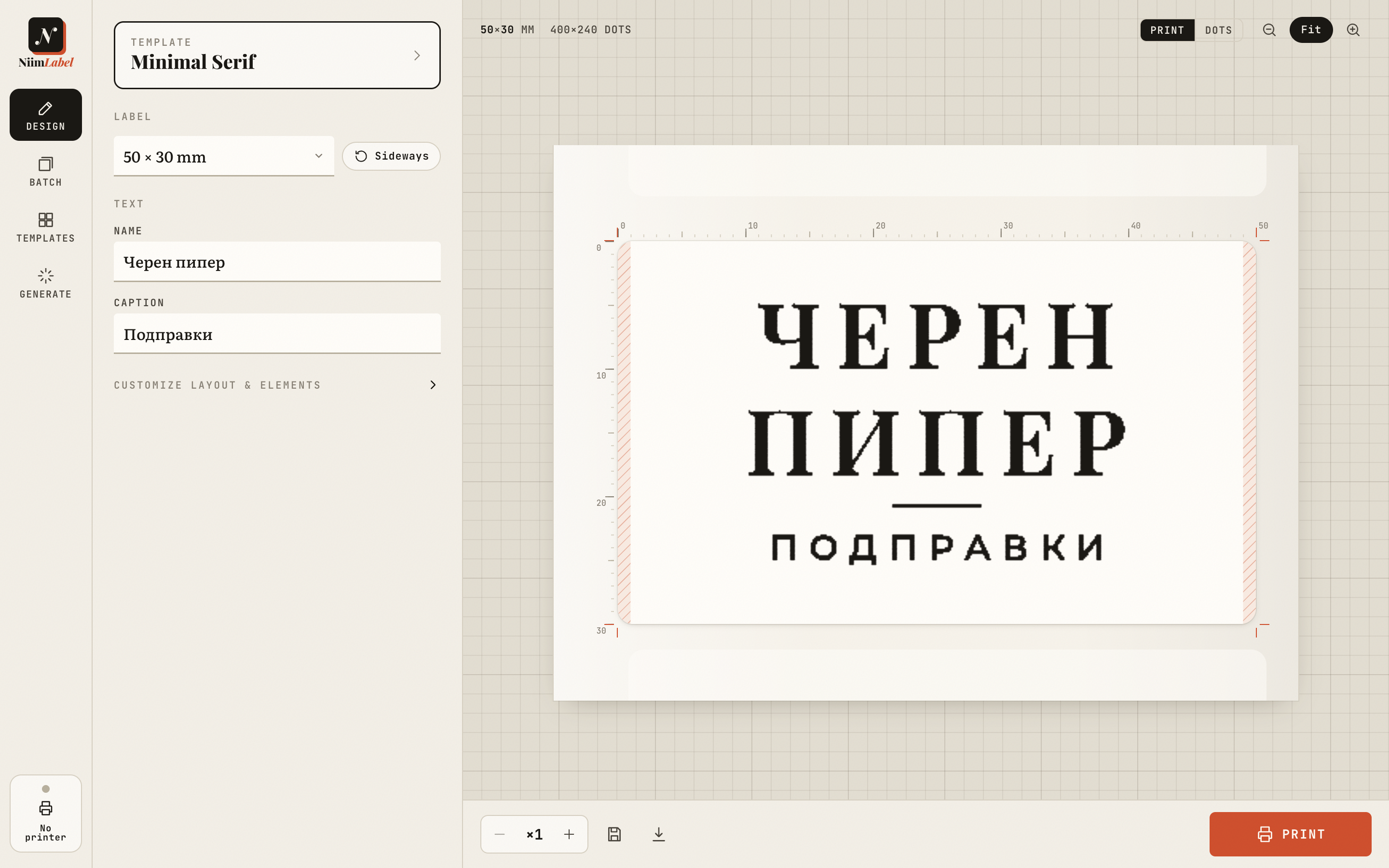
Every label is laid out on the B1's 8 dots/mm grid. Rules, frames, QR modules and barcode bars are whole dots, never anti-aliased.
For the Niimbot B1
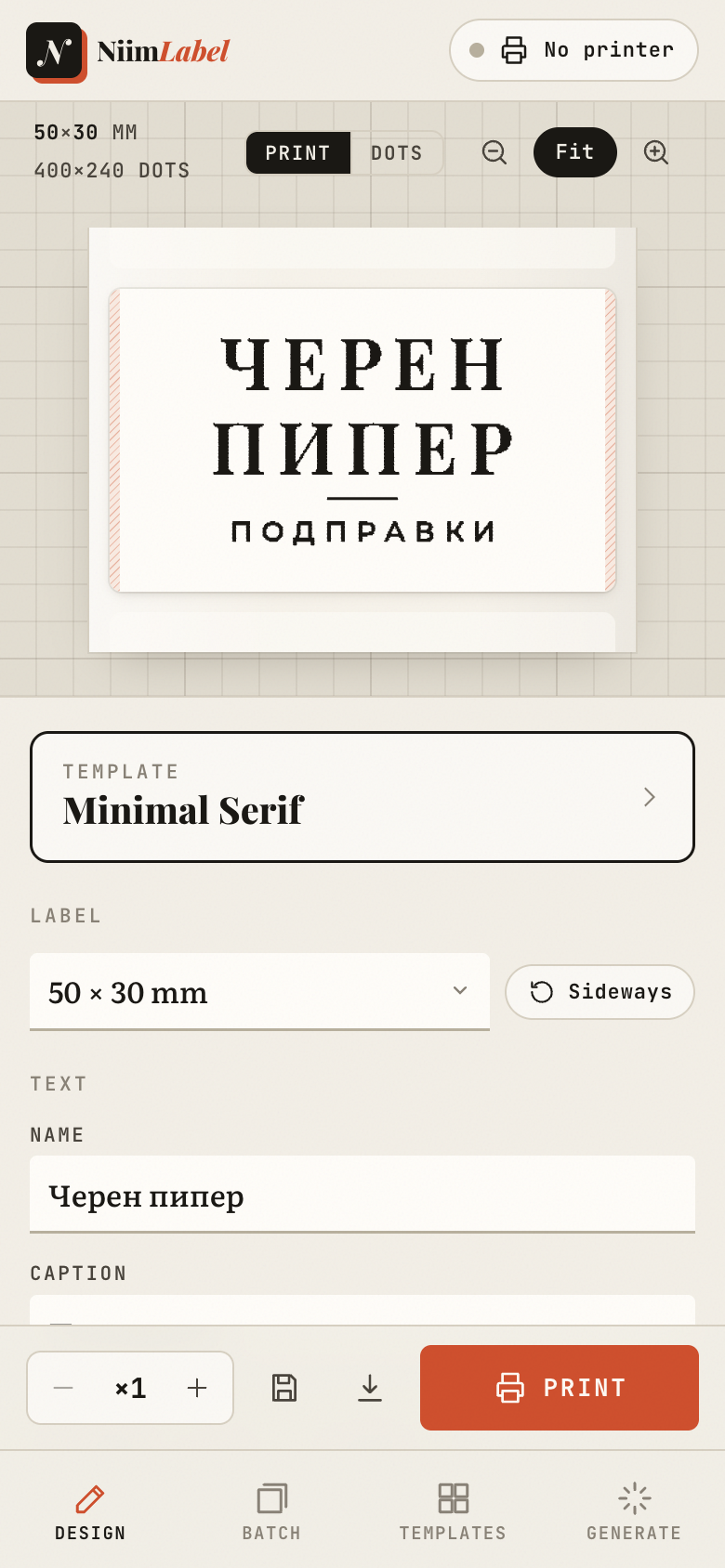
NiimLabel draws every label on the printer's own grid of 8 dots per millimetre and fits each letter to the dots, so text comes out cleaner than the official app. On your iPhone, iPad, Android phone or tablet, Mac and PC.
iPhone & iPad · Android · Mac · Windows · Web — try it free, no sign-up
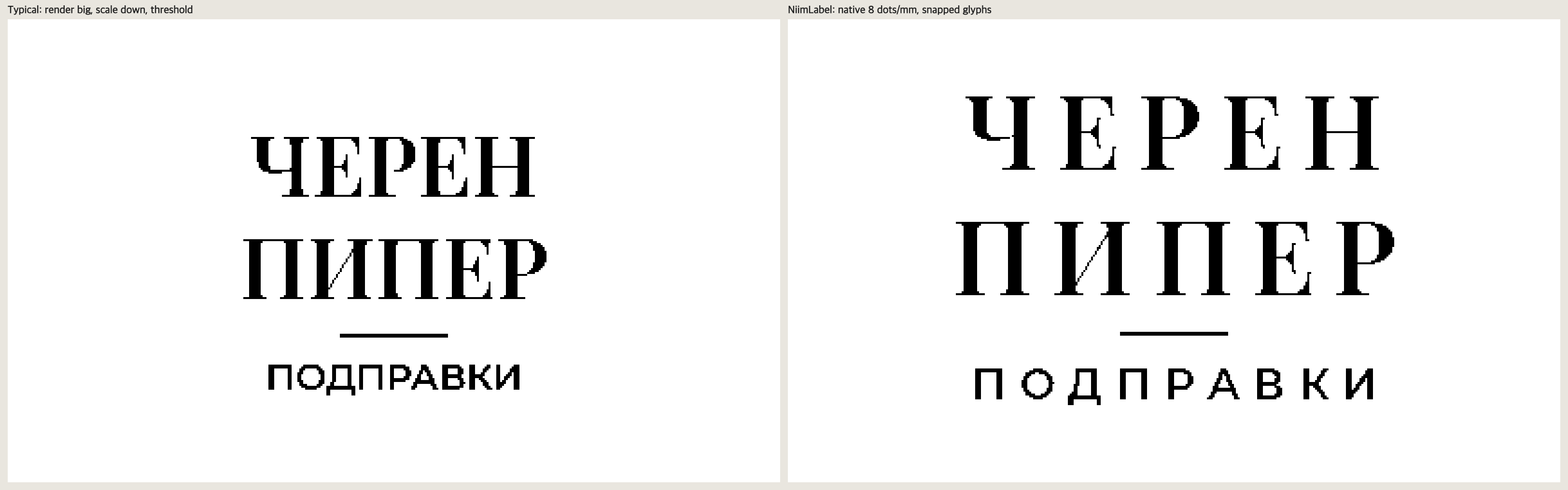
Same printer, same 203 dpi
Most label apps draw text at screen resolution, shrink it, then round it to black and white, so stems smear and hairlines break. NiimLabel renders at the head's native resolution and places every letter where its strokes land squarely on dots. Both images below are the exact bitmaps sent to the printer, magnified 4×.
What it does
Every label is laid out on the B1's 8 dots/mm grid. Rules, frames, QR modules and barcode bars are whole dots, never anti-aliased.
Each glyph is tried at four sub-dot offsets and placed where its stems fall cleanly on dots. Up to a third less smeared ink on small text.
The preview shows the label as ink on paper, or every single dot. It warns you about text too small or too thin for 203 dpi.
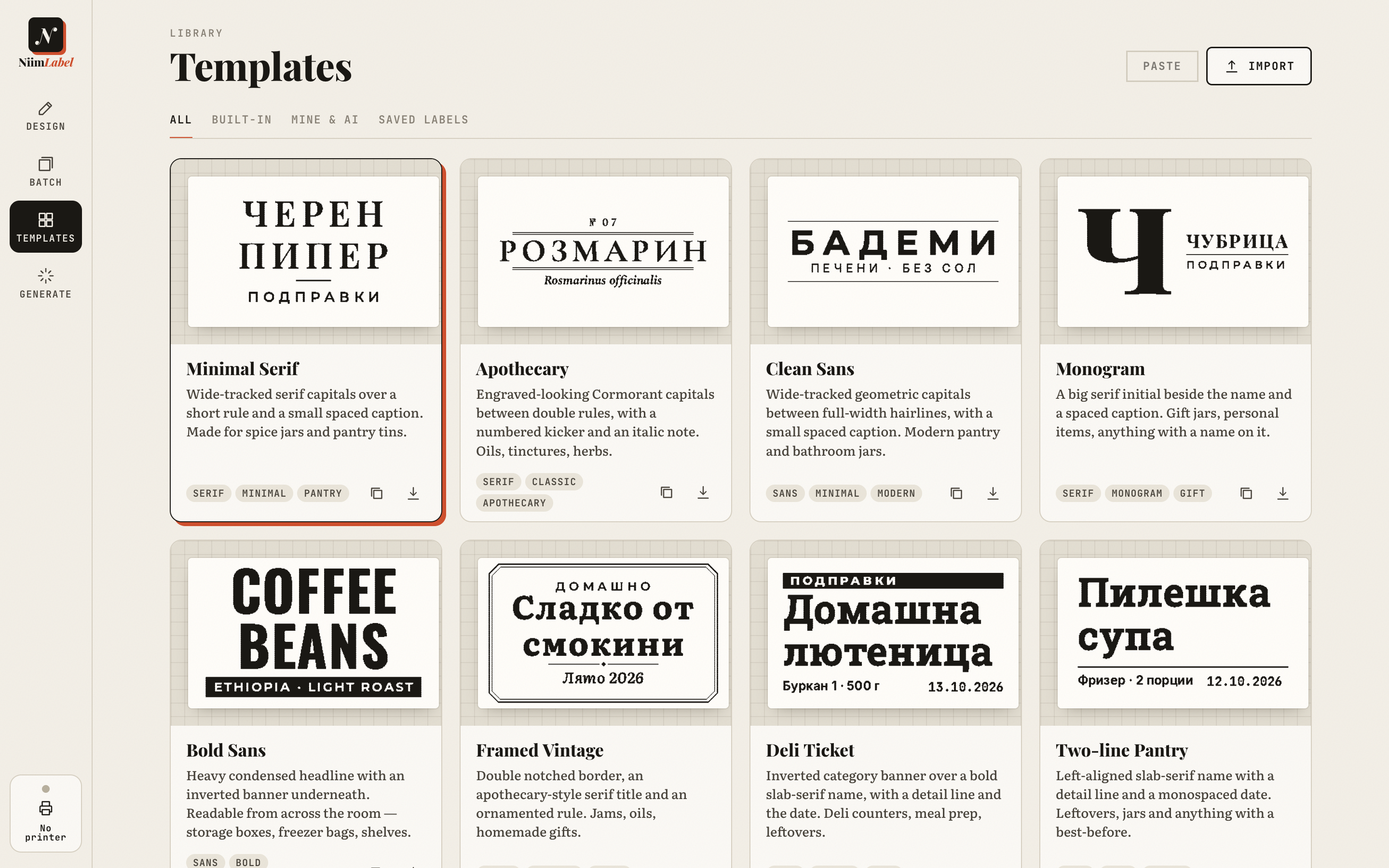
Fourteen designs that adapt from 30×15 to 50×80 mm, shrinking type together and dropping secondary lines on tiny labels.
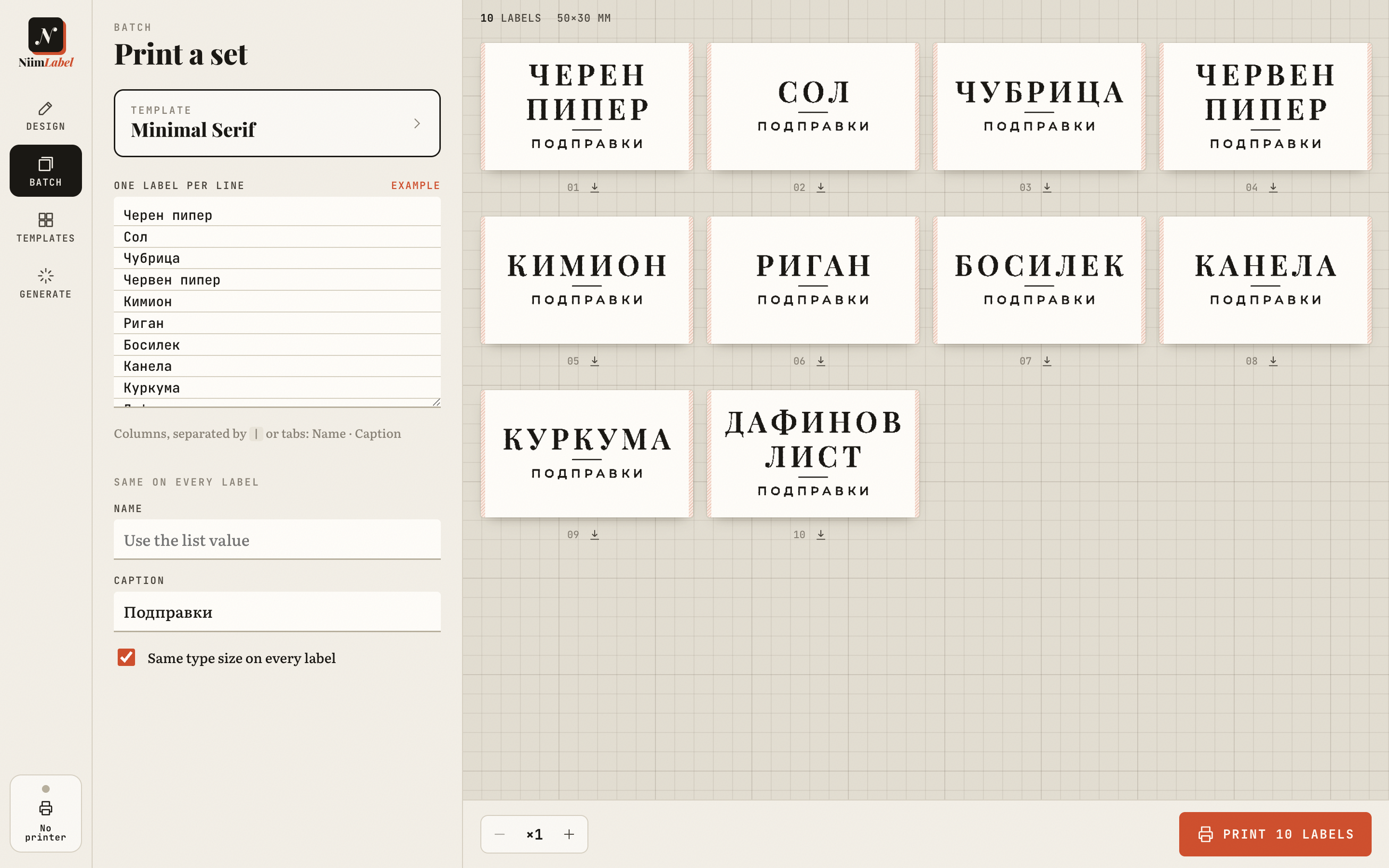
Paste a list, or snap a photo of your shelf or a handwritten list and let AI write one clean label per item, translated if you like. Preview the set and print it as one job.
Change fonts, spacing and frames; add text, QR codes, barcodes and logos. Or describe a style and let AI design three for you.
One button prints a test label at three darkness levels, so you can see which one keeps hairlines intact and small text open.
Import NiimBlue label exports and basic ZPL. Latin and Cyrillic in every bundled font, all of it working offline.
Templates & batch
Pricing
Every feature is in every plan. Free lets you print a few labels a month to see the difference for yourself.
$0
5 labels a month, every template and font, all printing features. No sign-up needed.
$4.99 / month
Unlimited labels on all your devices, 30 AI credits every month, or connect your own AI. Cancel any time.
$19.99 once
Everything in Pro, forever, with 100 AI credits included. Top up AI credits whenever you need more.
Download
Buy once, sign in with your email, and Pro works on every device. Launching on the stores soon; the web app works today.
One app for iPhone and iPad, iOS 15 and newer.
Phones, tablets and Chromebooks, Android 7 and newer.
macOS 12 and newer, Apple silicon and Intel.
Windows 10 and 11.
Questions
No. The B1 burns a grid of dots, 8 per millimetre, black or nothing. What software controls is which dots burn, and that is where NiimLabel puts all its effort. At arm's length the result reads as smooth; under a loupe every 203 dpi printer shows its dots. The B1 Pro has a 300 dpi head.
It's designed and tuned for the Niimbot B1. Other Niimbot models connect through the same library and may print, but layouts assume 203 dpi.
Not to start. You begin as a guest; add your email (no password, just a one-time code) to keep Pro across devices. Designs stay on your device.
No. NiimLabel is an independent app, not affiliated with or endorsed by NIIMBOT.